Staged in about 30 seconds a photo
Virtual staging for every room in your listing
Upload your listing photos. PhotoForm furnishes empty rooms, clears cluttered ones, or empties them out — and leaves the windows, walls and camera angle exactly as they were.
- First 3 photos free
- Then from $1.99 a photo
- "Virtually staged" label built in
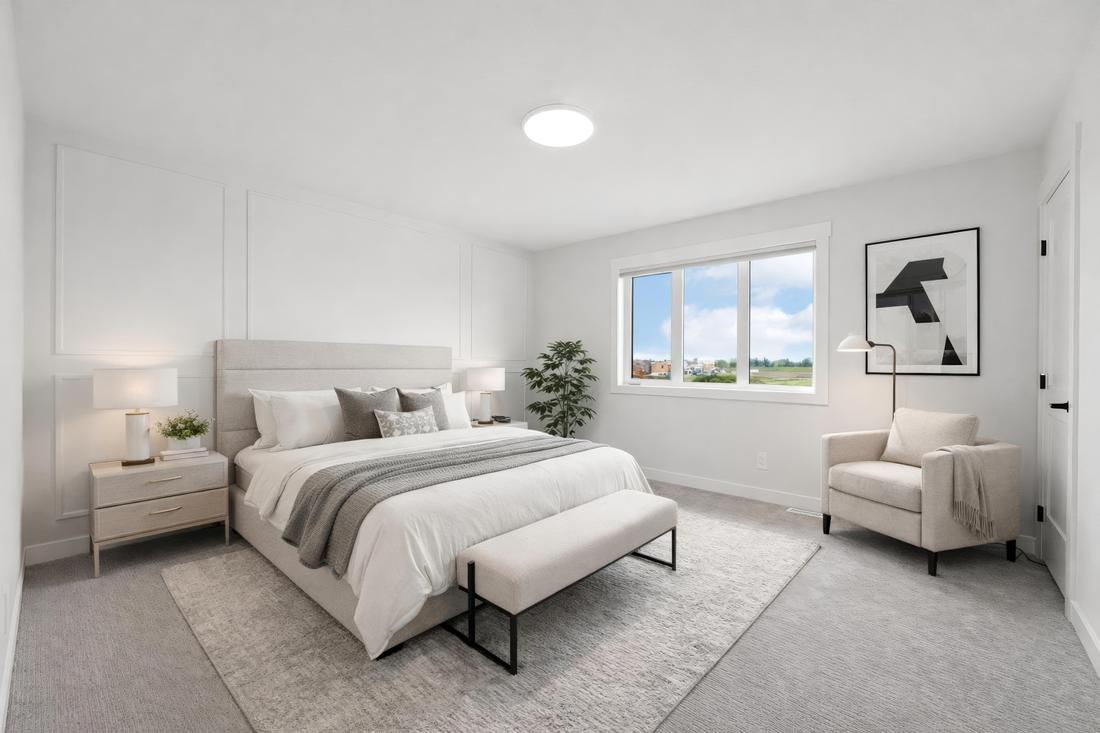
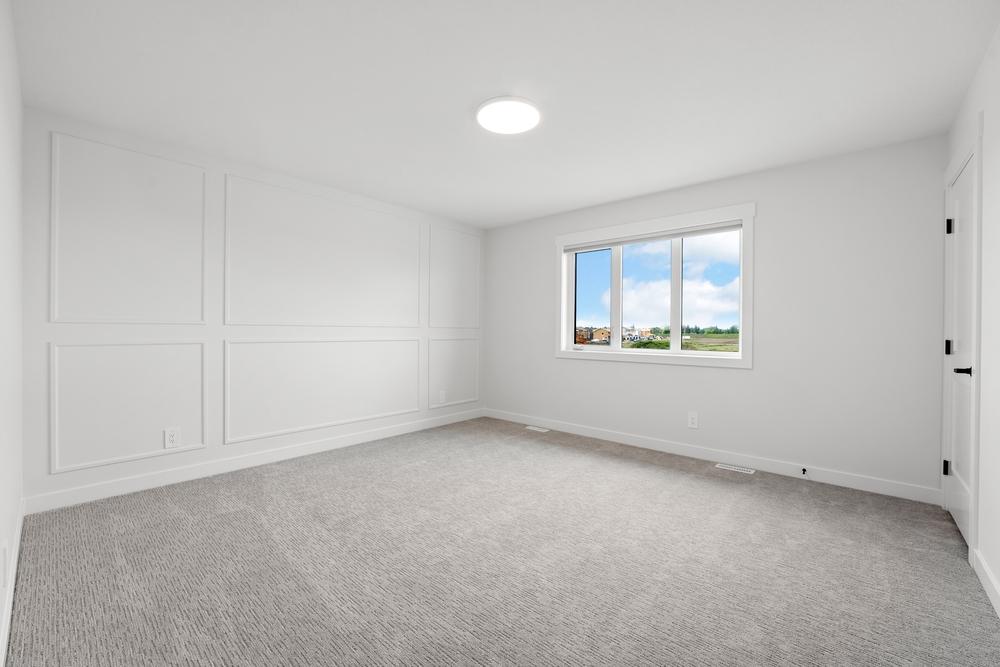
Drag the photo to compare
Stage
Furnish empty or dated rooms in one of six styles — modern, traditional, Scandinavian, farmhouse, coastal or luxury.
Declutter
Keep the seller's furniture and clear away the personal items, laundry, toys and everyday mess.
Remove furniture
Show the room empty, to show its true size or give buyers a blank canvas.
Six styles
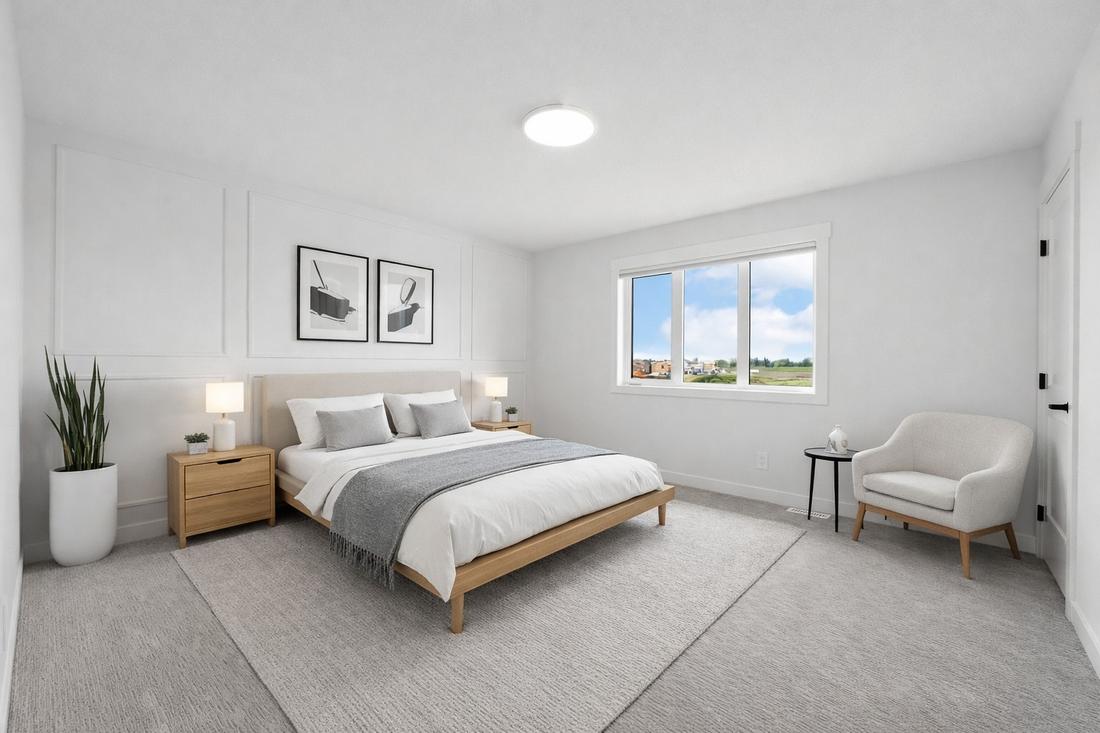
One empty room, six ways to show it
Pick the style that suits the buyer you're after. PhotoForm looks at the property's neighborhood and recommends the best fit — coastal near the water, modern downtown — and you can switch any time.
Drag to compare with the empty room
How it works
From phone photos to a staged listing in one sitting
 1
Add the listing
Enter the address and MLS number. Each property keeps its rooms together, and PhotoForm suggests the styles that suit the neighborhood — coastal near the water, modern downtown.
- Every listing's progress at a glance
- Style suggestions for the area
- One-click download of the whole listing
 2
Upload every room
Drop in the whole listing at once. Rooms are recognised and named for you, and photos of the same room are linked so they get the same furniture.
- Stage, declutter or empty each room
- Names and room types filled in for you
- Requests in plain words, like "dining table for six"
 3
Pick, approve, download
Compare each result with the original, try another version or fix one spot, then approve it for a full-resolution download or a shareable gallery.
- Drag to compare before and after
- Fix one spot without redoing the room
- Full-size photos with a "Virtually staged" label
Built for listings
Everything a listing needs, not just one pretty photo
The room stays the room
Windows, doors, built-ins and the camera angle are left untouched. Every result is checked against the original and redone automatically if anything moved.
Same room, every angle
Link photos of one room and they're staged with matching furniture, so the listing tells one consistent story.
Fix one spot
Don't like the lamp? Brush over it and say what you want instead. Only that spot changes — the rest of the photo stays exactly as it was.
Ask in plain words
"Dining table for six." "No rug." "Make it a nursery." Add a request and it's followed.
Styles that fit the area
Style recommendations based on the property's location and surroundings, with the reason for each.
Before-and-after galleries
Share a private link that shows every staged room with a before-and-after slider. Turn it off any time.
Organised by property
Each listing keeps its rooms, address and MLS number together, with progress at a glance and one-click "Download all".
MLS-friendly downloads
Full-resolution photos with a "Virtually staged" label in the corner, on by default for disclosure rules.
Never charged for a failure
If a photo fails to stage, its credit comes back automatically.
Pricing
Pay per photo. No subscription.
Your first 3 photos are free. After that, one credit stages one photo, with a few extra versions included if you want to try something different.
- 3 free credits when you sign up
- A few extra versions included per photo
- Failed photos refunded automatically
Questions agents ask
Can I try it before I pay?
Yes. Every new account starts with 3 free credits — enough to stage 3 photos, with a few extra versions of each. You don't need a card to sign up.
Is virtual staging allowed on the MLS?
Many MLSs allow virtually staged photos as long as they're disclosed. PhotoForm adds a small "Virtually staged" label to every download by default, and you can turn it off in settings. Rules vary by MLS, so check yours.
Will it change the room itself?
No. PhotoForm only changes furniture and decor. Walls, windows, doors, built-ins, light fixtures and the camera angle stay as they are, and every result is automatically checked against your original. If something looks off, it's redone before you see it.
What if I don't like a result?
Try another version, switch styles, or brush over one spot and say what you'd like there instead. Each photo includes a few extra versions before another credit is used, and you always see which before you click.
I have several photos of the same room. Will the furniture match?
Yes. Link the photos when you upload them, or add another angle to a room later, and they'll be staged with the same furniture from each camera position.
What photos work best?
Bright, level, landscape-orientation photos taken from a corner of the room. Empty or furnished rooms both work. Upload JPG, PNG or WEBP files.
What do I get when I download?
Full-resolution images (3072 px on the long side) ready for the MLS, one at a time or the whole listing as a single zip. You can also share a before-and-after gallery link with sellers and buyers.
Stage your next listing tonight
Your first 3 photos are free — no card needed. See the result in about 30 seconds.